 Textured Backgrounds Textured Backgrounds
For an explanation of “Umm”, see our Umm’s Colors page.
This page is all about background images for Web pages. You can also use the images as wallpaper if you like.
I visited FreeBackgrounds.com and didn’t like their background images. I prefer a plain-color, textured background. So I made my own, using Windows Paint, Adobe PhotoDeluxe and Netscape’s GIF Lube utility (which is no longer available). They are very small files, 2.3 kilobytes or less.
The problem with background images is that they can make the page text difficult to read. These are light enough (or dark enough), and low enough on contrast, to avoid this problem.
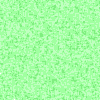
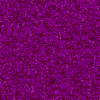
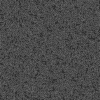
Below are 12 images. Feel free to copy any, all or none of them and use them as you wish.
Light color backgrounds (use dark text, preferably black)



Dark color backgrounds (use light text, preferably white)



Whenever you use a background image on a Web page, it’s a good idea to use a background color as well, so if your image doesn’t load, the page will at least be the right color. I have provided equivalent colors in Hex codes below:
#dfcc93
#ffc6d7
#70ffff
#ffff80
#a0ffa0
#eeeeee
#900000
#700060
#1111a5
#804000
#006400
#4c4c4c